Editing Application Letters
To make a great impression, your letter needs to be free of careless errors. Misspelled names, missing end punctuation, or sloppy design could derail an otherwise great letter. The following editing activities will help you create a neat and clean final version of your letter.
Editing Special Parts of a Letter
When checking a business letter for punctuation, pay special attention to addresses, dates, the salutation, and the closing.
Use a comma . . .
- between a city and a state in an address: Phoenix, Arizona
- between the day of the month and the year in a date: May 7, 2016
- after the closing: Sincerely, Yours truly,
Use a colon . . .
- after the salutation: Dear Mr. Abrams: Dear Ms. Rodriguez:
When checking for capitalization, pay special attention to the salutation and closing.
Capitalize . . .
- the word “Dear” in the salutation: Dear Senator Ainsley:
- the first word in the closing: Yours truly, Sincerely,
- first and last names, titles, months, and addresses: Mrs. Daly
Edit for punctuation and capitalization.
Edit the following parts of business letters for punctuation and capitalization. The first one has been done for you.
- April 12, 2016
-
925 East 49th Street
Austin Texas 78745
925 East 49th Street
Austin, Texas 78745 -
dear Mr. Kazarian Dear Mr. Kazarian:
-
Sincerely Sincerely,
-
Baltimore MD 21201 Baltimore, MD 21201
-
yours truly Yours truly,
-
December 1 2016 December 1, 2016
-
Dear ms. Johansen Dear Ms. Johansen:
-
255 William street
Worcester MA 01609
255 William Street
Worcester, MA 01609 -
thank you Thank you,
Editing for Presentation
Application letters should follow a special design format. Follow these basic tips for clean and professional presentation:
- Do not indent paragraphs.
- Single-space within paragraphs.
- Double-space between paragraphs.
- Leave the right margin ragged (uneven).
- Select a 12-point type size.
- Use black type.
- Select a clean, readable font (Times New Roman, Cambria, Arial, etc.).
Spacing Notes
758 Katie Drive
High Point, AZ 85087
September 8, 2016
Two to Eight Spaces
Josh Sorenson, Director
Camp Maclean
1561 Lake Drive
High Point, AZ 85087
Double Space
Dear Mr. Sorenson:
Double Space
I am applying for the position of day camp counselor, which was posted on the job board at our school.
Double Space
I am 13, in the eighth grade, and the oldest of four children. In school, I have participated in volleyball, basketball, and softball. I’m also an honor student and have missed very few days of school during the past three years. Last summer, I earned my Junior Lifesaving Certificate as well.
Double Space
When I was an elementary student, I attended Camp Maclean for two summers. Because of this experience, I understand the responsibility and hard work required to be an effective counselor.
Double Space
Please feel free to contact Ms. Shirley Avercamp, my volleyball coach, and Mrs. Christine Jones, a neighbor and babysitting client, for references. See the attached sheet for contact information.
Double Space
Sincerely,
Four Spaces
Lateesha Butler
Lateesha Butler
Edit for design.
The following letter includes several design flaws. Search for and identify at least five of the errors. If you have access to the document, fix the errors.
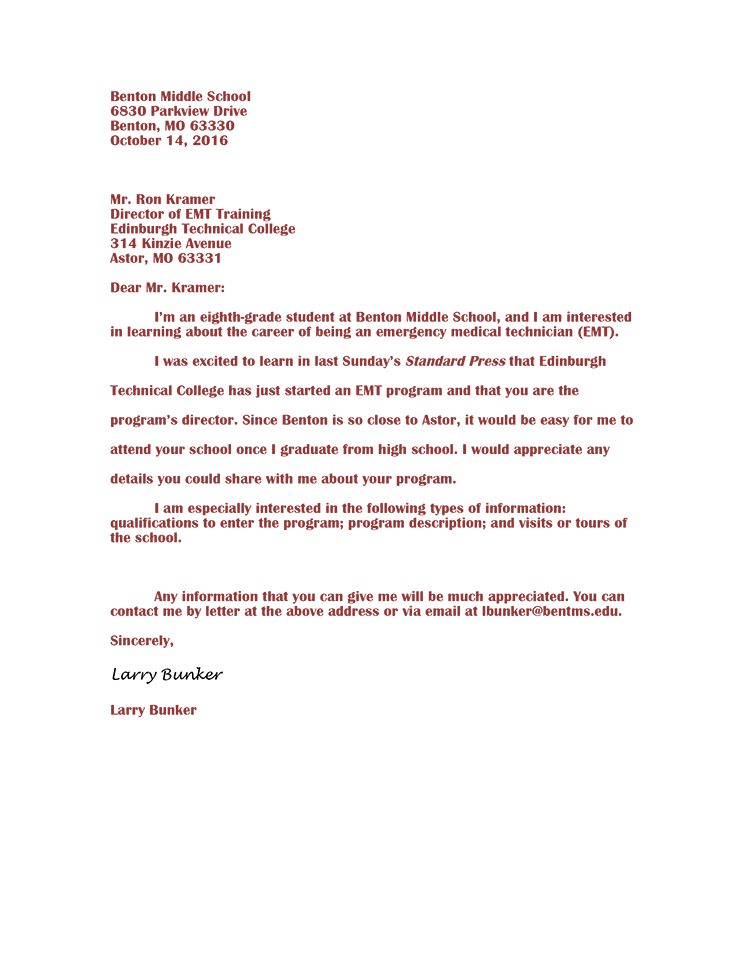
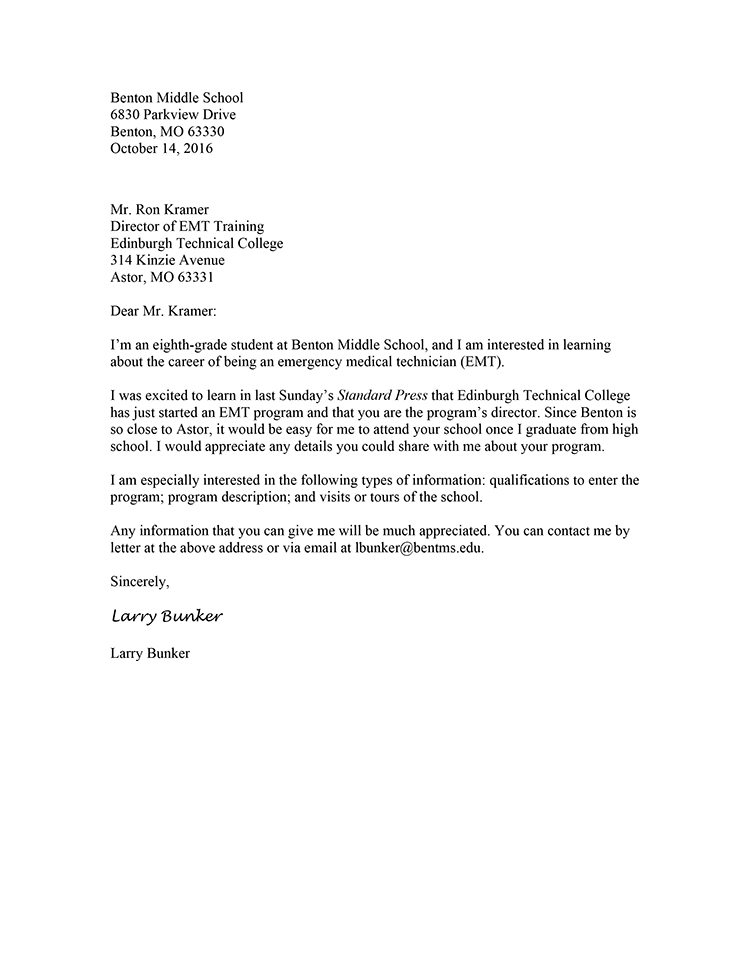
Design Flaw 1
Design Flaw 2
Design Flaw 3
Design Flaw 4
Design Flaw 5
Editing in Action
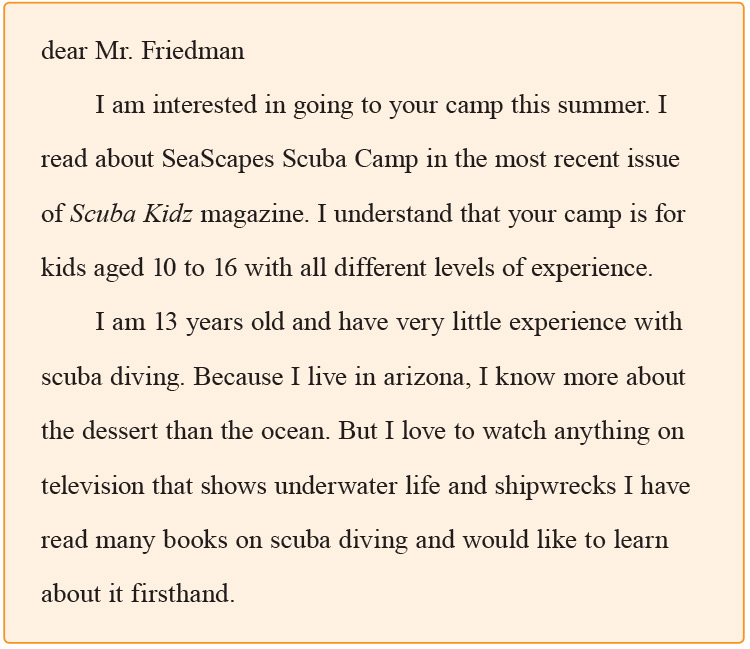
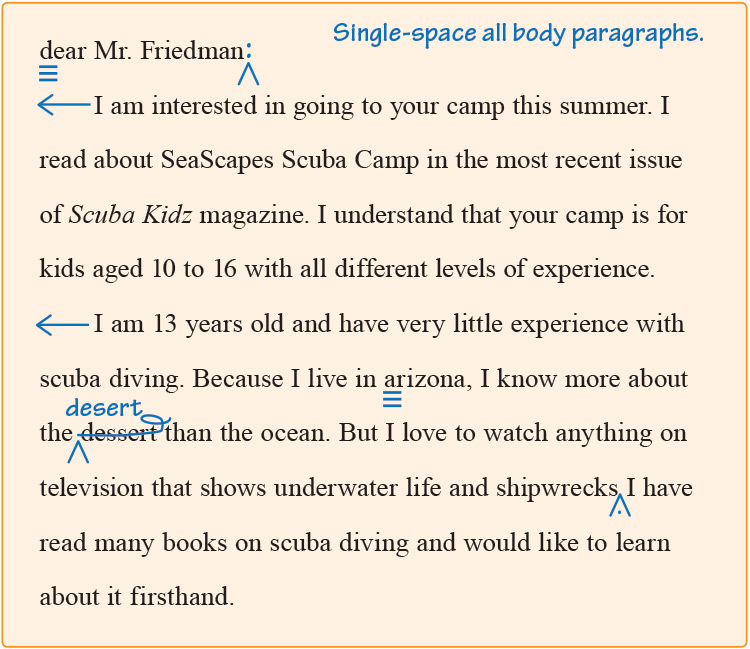
When you edit, you check to make sure your essay is correct.
-
Letter Before Edits
-
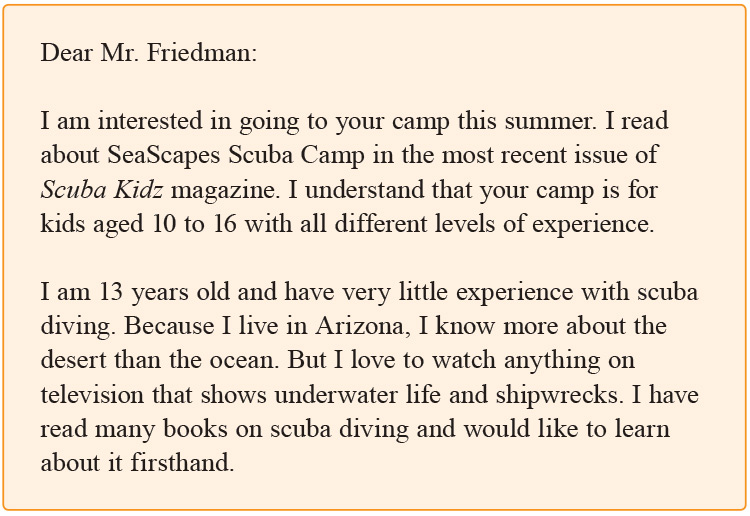
A usage error is fixed and a command sentence is created.
-
Letter After Edits
Edit with a checklist.
Read each line. When you can answer each question with a yes, check it off.
Punctuation
- Did I close each sentence with an end punctuation mark?
- Do commas follow four or more introductory words?
- Do I use a colon after the salutation?
Capitalization
- Did I start all sentences with capital letters?
- Did I capitalize the names of people and places?
- Did I capitalize the word "Dear" in the salutation and the first word in the closing (Yours truly,)?
Grammar
- Do my pronouns and antecedents agree? (All students need their own pencils.)
- Do the subjects and verbs agree in number? (Birds sing; David whistles.)
Usage
- Did I use an appropriate level of language?
- Did I correctly use commonly confused words (affect/effect)?
Spelling
- Did I check for spelling errors?
- Did I use a dictionary or the spell checker on my computer?
Publishing Application Letters
To publish your letter, you have to mail it to your reader. First, you need to make a clean final copy of your work. Then you need to fold it neatly and place it an envelope. Finally, write the correct address on the envelope and mail it for review.
Publishing a Final Copy
Create a final copy of your application letter.
Include your editing changes and read over your work a final time. (If you are working on a computer, spell check your work.)
Reflecting on Your Writing
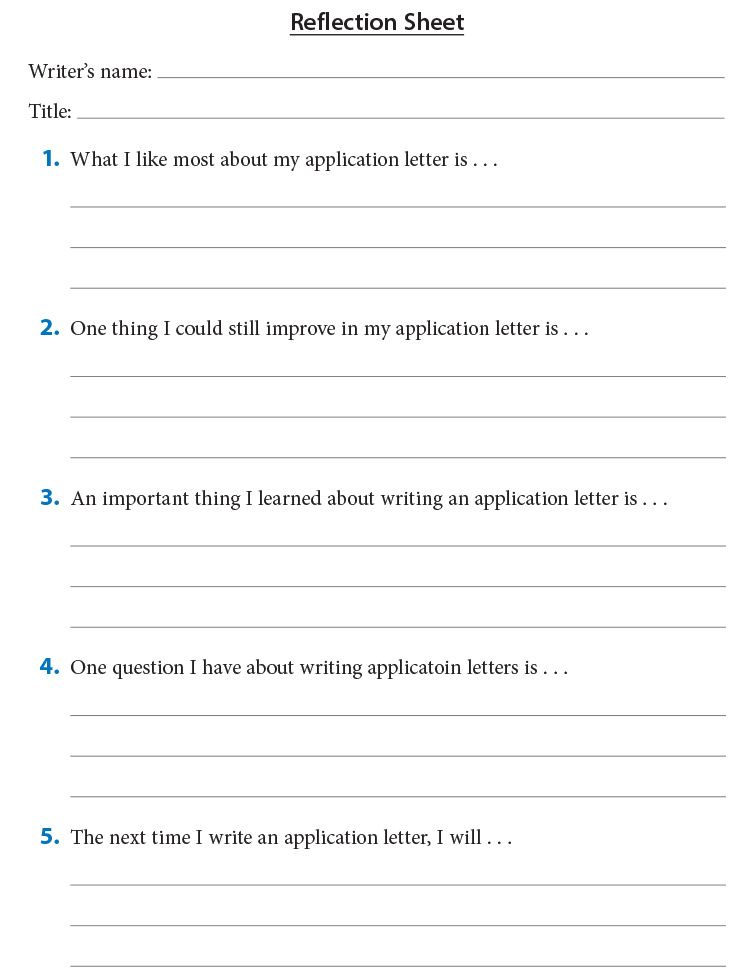
Reflect on your writing.
Complete the following form to think about what you learned.