Editing Résumés and Cover Letters
Often, a potential employer will "meet" your cover letter and résumé before actually meeting you. They are your first interview. Just as you wouldn't show up for a face-to-face interview with your hair a mess and a mustard stain on your shirt, you don't want to send out documents with errors. These activities will help you catch the most common (and costly) errors before employers can.
Editing to Check Facts
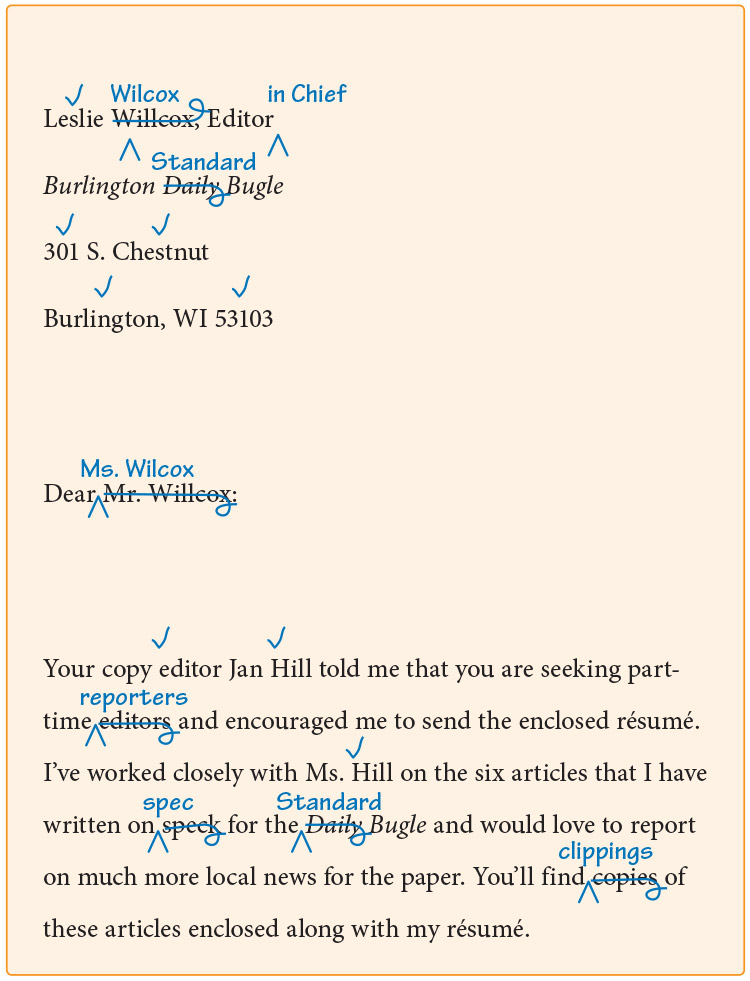
The quickest way to get rejected is to misspell the name of the reader, or botch the person's title, or mangle the company name. If you need to write to Ms. Leslie Wilcox, Editor in Chief of the Burlington Standard Bugle, but you instead write to Mr. Leslie Willcox, Editor of the Burlington Daily Bugle, you probably won't even get a reply, let alone a chance to interview.
You must fact-check every name, title, business, department, street address, email address, telephone number, job title, and job-specific term in your résumé and cover letter. Look up each one on the Internet, preferably using the employer's own Web site. Check off any detail you have fact-checked, and correct any that were incorrect.
Fact-check your résumé and cover letter.
Review your résumé and cover letter. When you spot a fact, place a dot above it and look it up. If it is correct, turn the dot into a small check mark. If it is incorrect, fix it. Continue until you have checked every fact in both documents.
Editing for Design
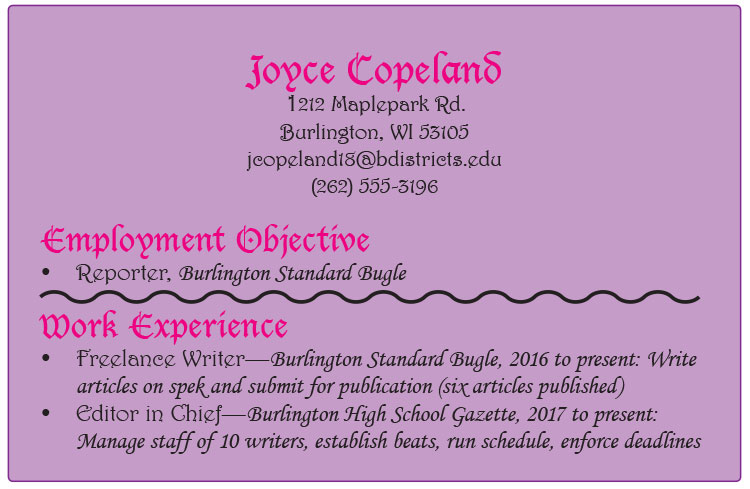
You might feel tempted to make your cover letter and résumé look "fancy," with exotic fonts, bright colors, elaborate lines, and other flourishes. Such design decisions can be a mistake.
Poorly Designed Résumé
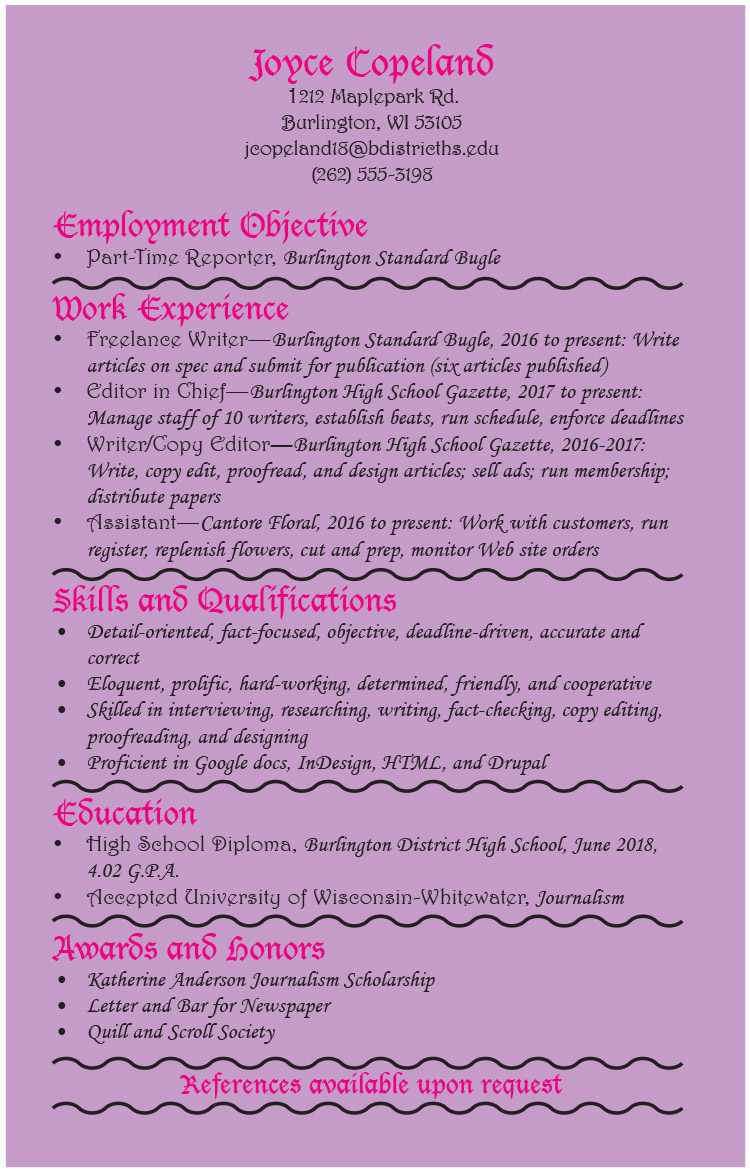
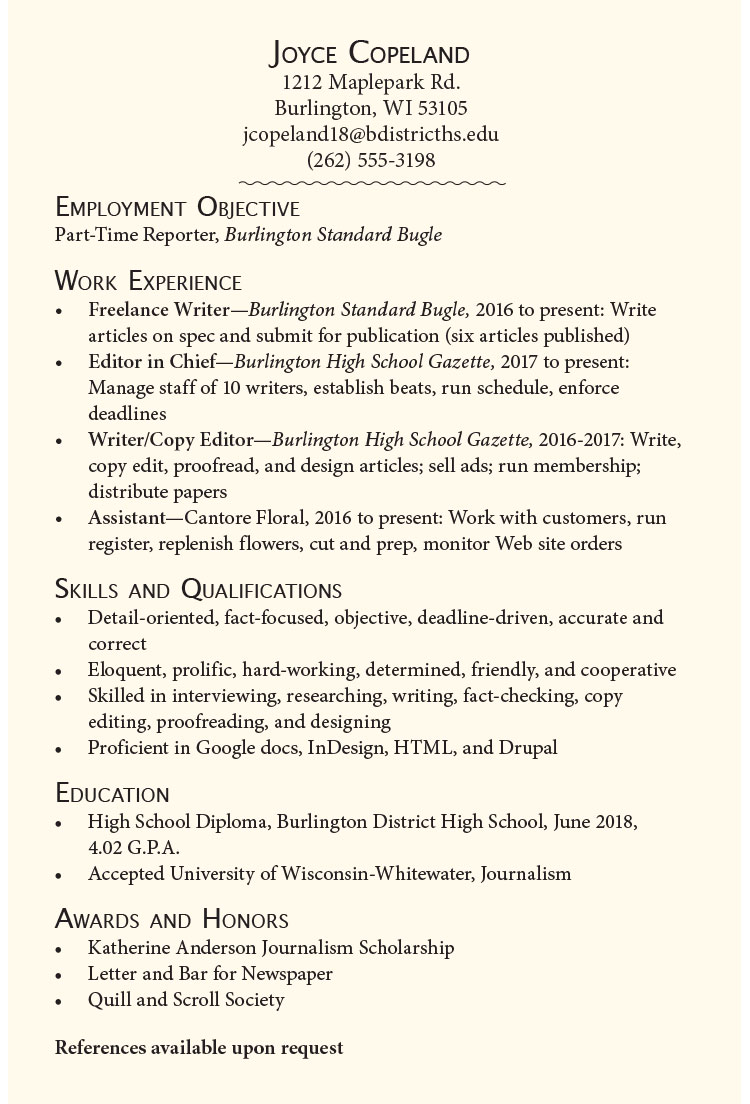
Design should always make information more readable and inviting, not less. As a result, your design choices should be subtle and sophisticated.
- Maintain 1 inch margins all the way around text.
- For headings, use a readable, bold sans serif font at about 14-16 point size. Set headings in black or in a dark accent color. Capitalize the first and last word and all words in between except articles (a, an, the), coordinating conjunctions (and, but, or, nor, for, so, yet), and short prepositions (in, at, on).
- For most text, use a readable, regular serif font at about 12-10 point size. Set regular text in black. Capitalize the first word in a sentence or bulleted item, and place a period after the end of complete sentences.
- Use slender lines (half point) to set off breaks in text, but use them sparingly and consistently.
- Use medium-weight paper (24-32 pound), with a very light color (eggshell, cream, light taupe, very light blue). The paper can have a subtle pattern as long as it does not detract from readability.
- Design with purpose—clarity, confidence, professionalism, seriousness, reliability, maturity.
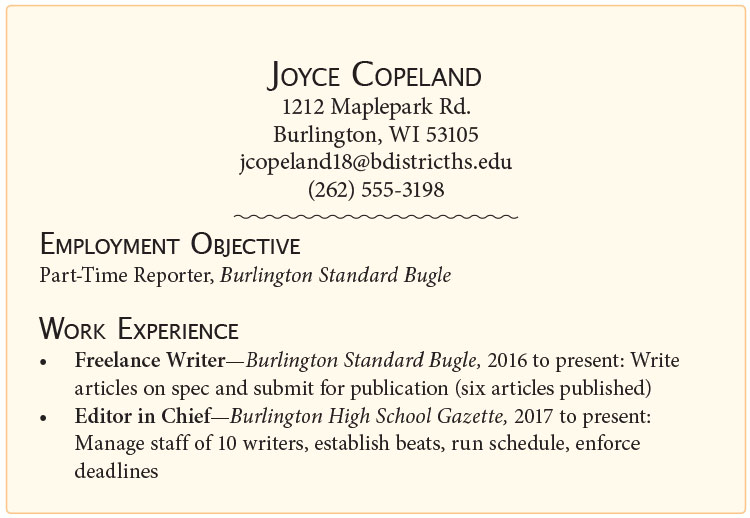
Well-Designed Résumé
Teaching Tip
Help students understand that the design should never outshine the content. When the design is more apparent than the details the student is expressing, the result is like putting makeup on a pig. Instead, the design should subtly enhance the message the student is sending: I am the right person for this job.
Design your cover letter and résumé.
Review the design of your cover letter and résumé, remembering that less is more. Be purposeful. After designing the documents, single out each design element and ask (1) Does it make the information clearer and more readable and (2) Does it look subtle, professional, confident, and attractive? If you cannot answer yes to both questions, redesign the element, or perhaps leave it with no special design at all.
Editing in Action
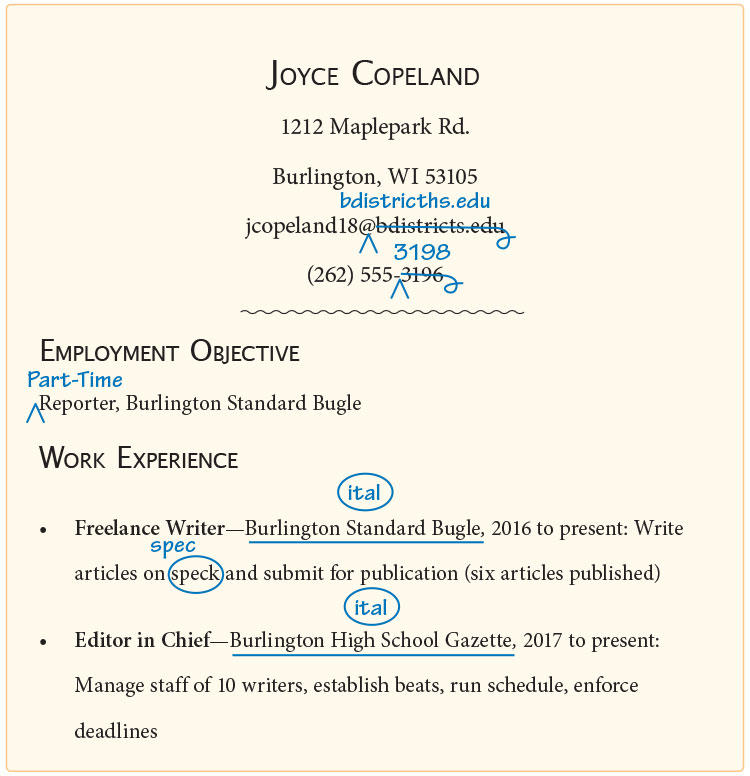
After you fact-check your cover letter and résumé, you should also make sure your work has correct punctuation, capitalization, spelling, usage, and grammar. Keep editing until your essay is error free.
-
Paragraph Before Edits
-
Design changes improve readability; facts, spelling, and title treatments are corrected.
-
Paragraph After Edits
Edit with a checklist.
Use the following checklist to edit your cover letter and résumé. When you can answer a question with a yes, check it off. Continue editing until each line is checked.
Sentences
- Do sentences in the cover letter read smoothly?
- Are sentences correct, without run-ons, comma splices, or fragments?
- Do all sentences in the résumé use consistent telegraphic style, with no period at the end?
Punctuation
- Does correct end punctuation follow each full sentence?
- Are all parallel elements accompanied with parallel punctuation?
- Do commas follow introductory clauses and longer introductory phrases (four words or more)?
Mechanics
- Are proper nouns and the first words in sentences capitalized?
- Are specific names of people, titles, businesses, departments, and other proper nouns capitalized?
- Have I carefully checked all facts in both documents?
- Have I checked spellings of the names of all people, businesses, and so on?
- Have I checked spelling using a dictionary or spell checker?
Grammar
- Do subjects and verbs agree in number?
- Do pronouns and antecedents agree in number, person, and gender?
Usage
- Have I checked the usage of job-specific terms?
- Have I carefully checked the connotations of all of my words?
- Are commonly confused words used correctly (your/you’re, their/they’re, its/it’s)?
Submitting Your Cover Letter and Résumé
You'll want to make certain everything is correct before you send in your job-related documents. Know that when you send them, these documents make your first impression for you. Be sure it is a good one!
Publishing the Final Copies
Send your cover letter and résumé.
Print both documents on professional, medium-weight paper and mail them, or turn your cover letter into a cover email and attach your résumé (with any other enclosures scanned and attached). Give the recipient time to receive and review the materials. Then send a follow-up message to reiterate your interest and open the possibility for further contact.
Reflecting on Your Writing
Reflect on your writing.
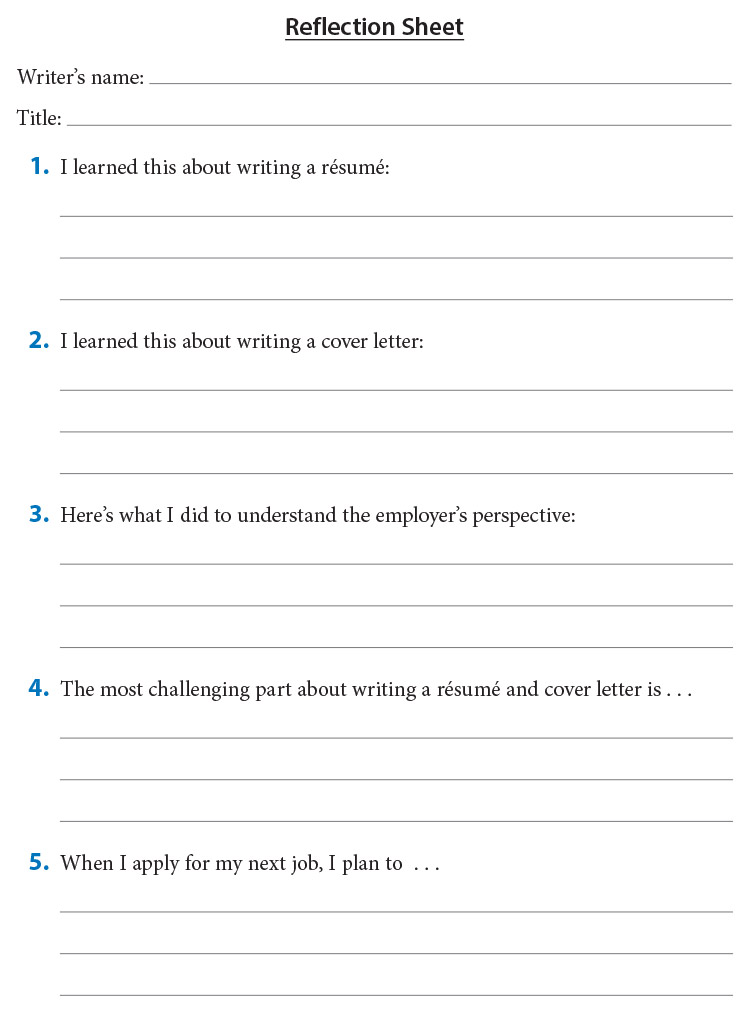
Complete the following sheet to reflect on writing a cover letter and résumé.